
Ever wondered how to change Finance and Operations Product Name?
Simply override ApplicationPlatform – CoreProductName label in 2 steps:
– Create ApplicationPlatform_Extension label file
– Extend CoreProductName label
Create label extension
Create new label file: ApplicationPlatform_Extension
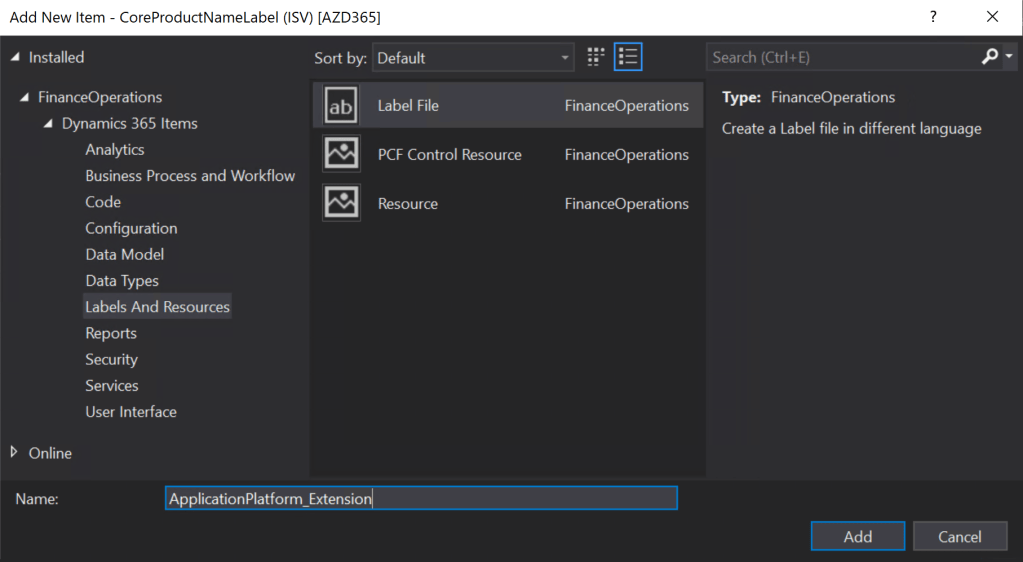
Click Next:

Ensure en-US language is selected then click Next:
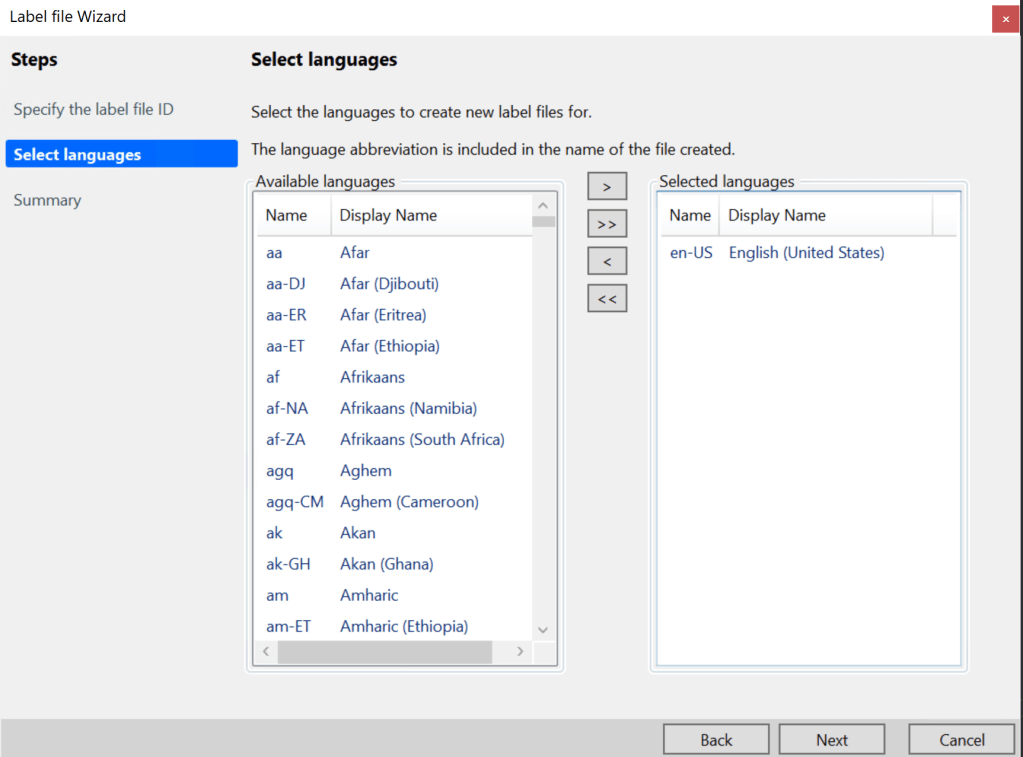
Click Next again. The label file should have been created.
Extend Product Label
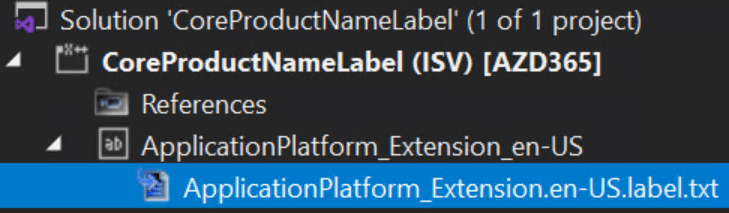
Double-Click ApplicationPlatform_Extension.en-US.txt to open the label file:
Enter:
Label ID: CoreProductName
Label: <your label>
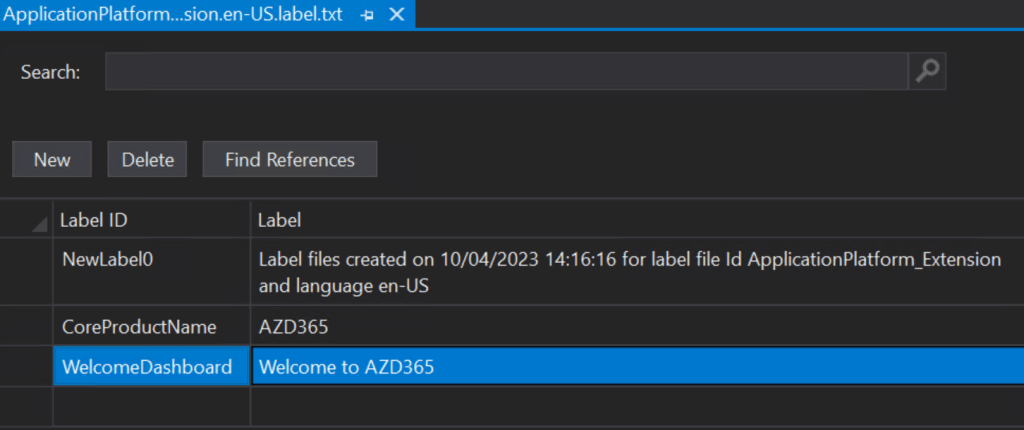
Save and compile your project or model.

 AZ on D365